This is a straightforward, possibly barebones review of the 32 GB Sandisk Industrial Grade Extended Temperature IX QD334 microSD card (SDSDQED-032G-XI). I have had several high endurance (and max endurance, whatever that means) microSD cards fail on me over years of use in Raspberry Pis and dashcams, so I decided to splurge the cash and get an SLC microSD card with an industrial-grade controller that’ll probably last me a lifetime.
SLC, MLC, TLC and QLC, are the industrial terms for the number of bits that are stored in a single NAND flash cell. Kingston’s website has a handy infograhic that illustrates the difference.
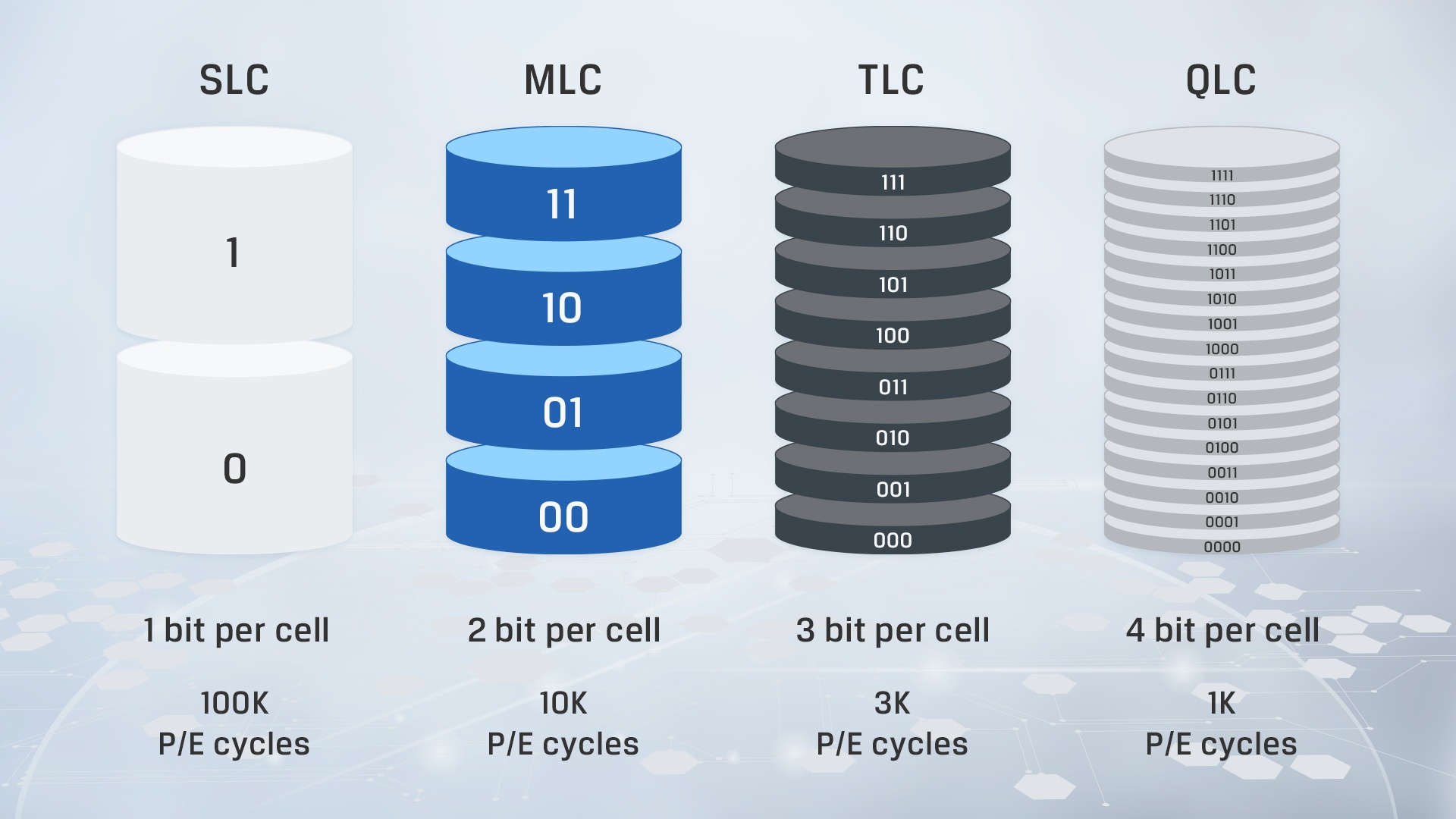
In a nutshell, the more bits that are stored per cell, the lesser is the endurance, which is measured in Program-Erase cycles (P/E cycles). SLC NAND typically have the highest P/E cycles since the cells store less data and can go through multiple writes and erases before it wears down completely. However this is a very simple view of it, endurance also depends on other factors like the controller, the wear-levelling procedures, etc.
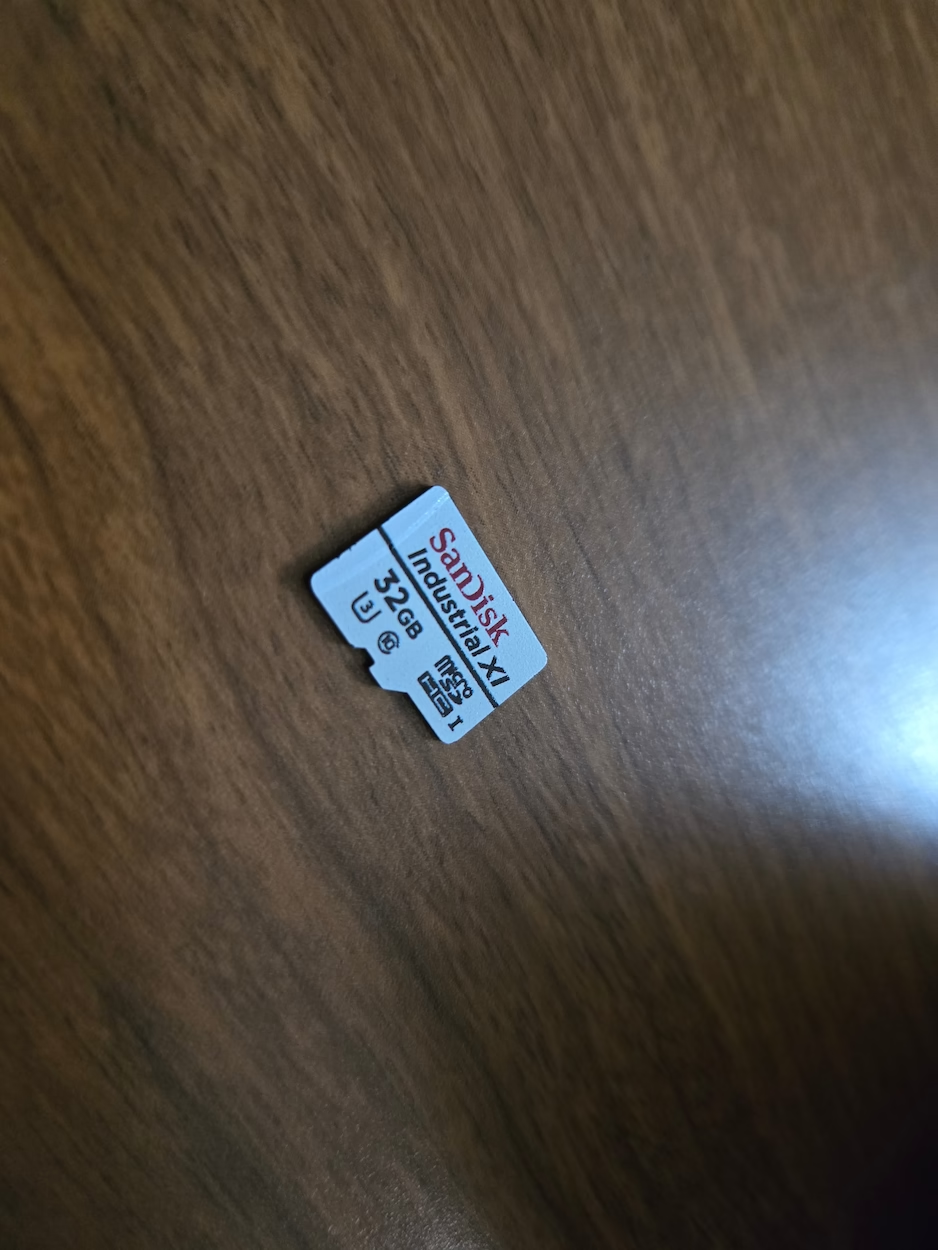
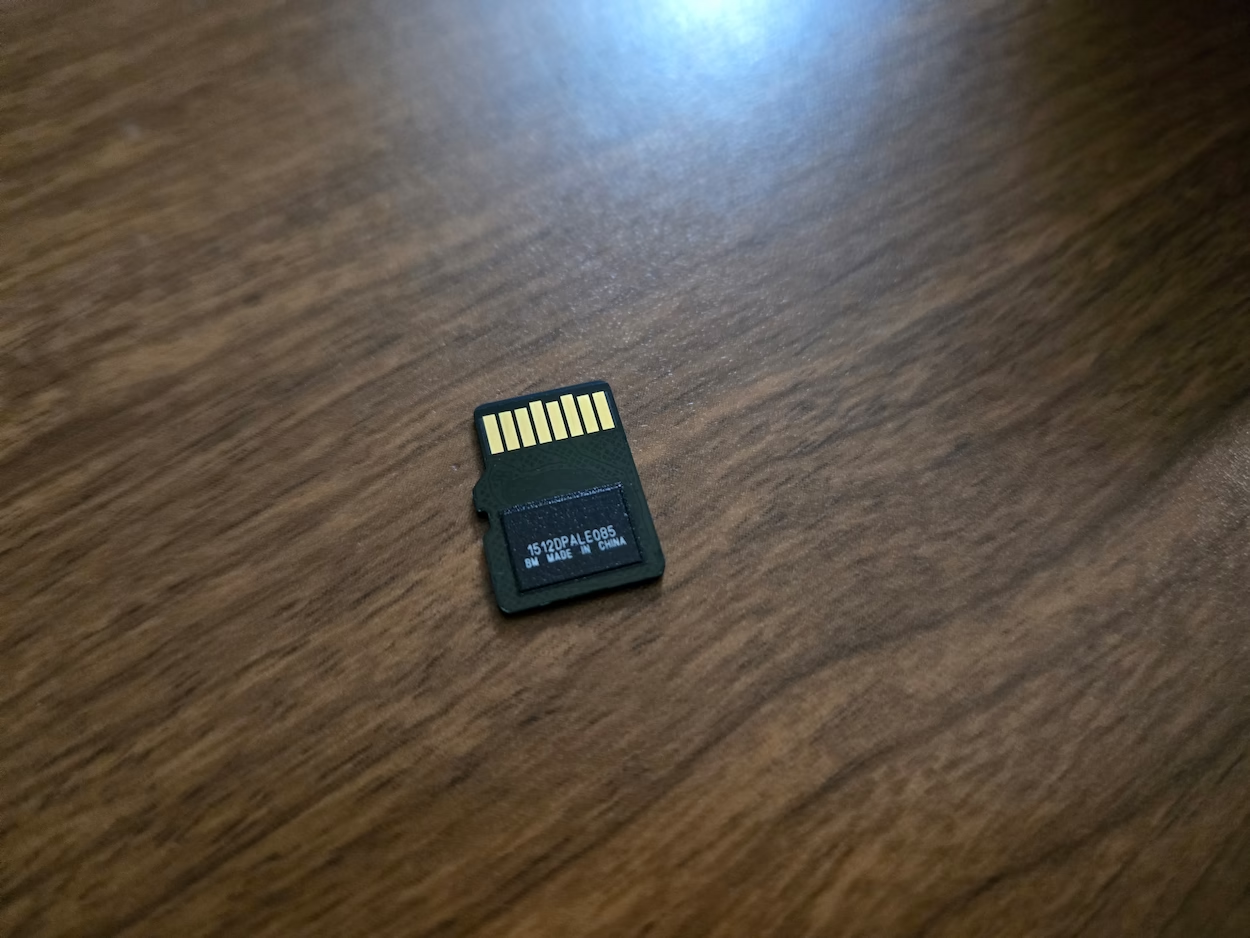
The Sandisk card, pictured.
The card comes in capacities of 8 GB through 64 GBs. SLC 2D NAND cards typically have lower capacities due to lower data densities, but they tend to have more endurance. According to the datasheet, the Sandisk card, at least the highest capacity 64 GB one, has a TBW (Terabytes written) rating of 1920, and 30K P/E cycles, possibly for all cards in the series. Extrapolating from that, the 32 GB card should have a TBW rating of 960. Which means my card will last forever, or at least for a really long time, even with constant use.
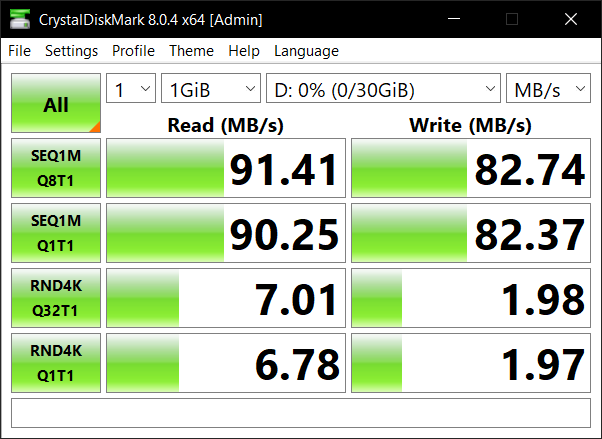
The CrystalDiskMark score is nothing extraordinary, and the random 4K reads and writes are probably lower than many consumer grade cards. But the name of the game here is endurance - I’m looking for it to last over a long time without reliability issues.
An additional feature of some industrial microSD cards is health monitoring capabilities, sort of similar to a simplified version of S.M.A.R.T. for HDDs and SSDs. Sandisk’s website says compatible cameras can read this data, but since I do not have one of those, I use a program called sdmon to read this data.
soumikgh@rpi:~ $ sudo ./sdmon /dev/mmcblk0
Trying sandisk...
{
  "version": "v0.9.0-29 (9ab840a) arm64",
  "date": "2025-08-09T20:57:30.000",
  "device": "/dev/mmcblk0",
  "addTime": false,
  "method": "auto",
  "signature": "0x44 0x57",
  "SanDisk": true,
  "manufactureYYMMDD": "211224",
  "healthStatusPercentUsed": 1,
  "featureRevision": "0x1f",
  "generationIdentifier": 5,
  "productString": "Western Digital                 ",
  "powerOnTimes": 0,
  "success": true
}
The metric of interest here is healthStatusPercentUsed which here is just 1. The powerOnTimes metric doesn’t seem to be accurate since the card has obviously been powered on multiple times.
I bought it from Mouser for ~$58 (the 64 GB one costs ~$107), and it had been running without issues in my dashcam for more than 3 years now before being moved to power my primary Raspberry Pi.
Do let me know if you want any other tests run on this, or want any more information on the card.
Additional documents -
- IX QD334 Product Brochure
- Sandisk/Western Digital Removable Flash Storage Brochure with the lineup and details of other industrial/high-endurance microSD and SD cards from the company