TL;DR - Run upgrade_tool UL MiniLoaderAll.bin in Maskrom mode.
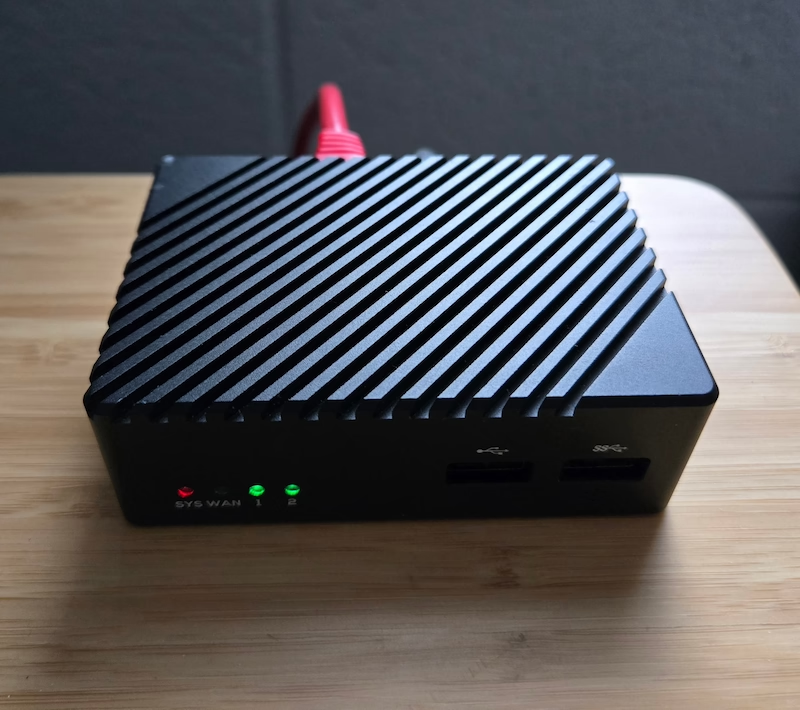
I recently obtained a NanoPi R6S with the intention of turning it into a router powered by OpenWrt. Everything seemed to be going swimmingly well until I tried to expand the SquashFS OpenWrt partition on the internal eMMC storage, and that seemed to brick the device. Every time it was turned on, the red SYS light would stay solid instead of blinking after a bit - that meant it was stuck in the bootloader phase. Neither FriendlyELEC provided images nor third-party images would boot off the microSD card.
Their official wiki has an unbricking method, by putting the device in Maskrom mode - using something like a SIM ejector tool to press down the button inside the MASK hole, plugging in the USB-C power and then letting go of the key after 4 seconds of being powered on. And then using either RKDevTool on Windows or upgradetool on Linux. I managed to get the device in this mode, and was able to erase the eMMC using the command -
$ sudo upgrade_tool EF MiniLoaderAll.bin
Loading loader...
Start to erase flash...
Download Boot Start
Download Boot Success
Wait For Maskrom Start
Wait For Maskrom Success
Test Device Start
Test Device Success
Get FlashInfo Start
Get FlashInfo Success
Erase Flash Start
Erase Flash... (100%)
Erase Flash Success
Reset Device Start
Erase flash ok.
Unfortunately, this seemed to change nothing, and I was still getting the constant red SYS light.
After a lot of Googling, a number of promising threads came up, including this one which made me think that the problem I was running into could be related to the U-Boot on the eMMC storage being the Mainline U-Boot that came with OpenWrt and not the modified FriendlyELEC version, which disallowed booting from the microSD card. This led me to trying to flash the modified FriendlyELEC U-Boot (actually their loader) separately onto the internal storage, which led me to Upgradetool page on the Rockchip Wiki.
The command to update the U-Boot did not work. It gave me the error “check download item failed!”. But the first command to upgrade the loader worked -
$ sudo upgrade_tool UL MiniLoaderAll.bin
Loading loader...
Support Type:RK3588	Loader ver:1.0b	Loader Time:2025-01-02 16:53:46
Start to upgrade loader...
Download Boot Start
Download Boot Success
Wait For Maskrom Start
Wait For Maskrom Success
Test Device Start
Test Device Success
Check Chip Start
Check Chip Success
Get FlashInfo Start
Get FlashInfo Success
Prepare IDB Start
Prepare IDB Success
Download IDB Start
Download IDB Success
Upgrade loader ok.
And this seemed to fix it, I can boot off the microSD card again, and use it to flash images onto the eMMC storage which was effectively inaccessible to me during this ordeal.
PS: Remove any USB devices or a microSD card before booting into Maskrom mode, it causes issues. Also, all of the upgrade_tool commands need to be run as root.
PPS: This page has a really nice collection of information about the boot architecture and making custom OS images for the R6S.